Showing posts with label jailbreak. Show all posts

Monday, November 14, 2011

Apple Pulls Fake $9.99 iOS Jailbreak App From The App Store


Many of the millions of iPhone, iPod, and iPod touch users across the globe are keenly awaiting progress on that elusive untethered jailbreak for iOS 5. With a little time and patience, we wait in hope that the hackers will find the solution, allowing iDevice users – including those of the brand new, but as-yet un-jailbroken iPhone 4S – and iPad 2 – to enjoy free reign.

Unfortunately, though, some unscrupulous individuals have decided to capitalize on that anticipation by releasing an app onto the App Store (iTunes link – now removed) entitled "Jailbreak", which promises to jailbreak devices on "all firmware versions" - from 3.0 to the very latest iOS 5 for the extortionate price of $9.99.

Those of you who regularly follow us here at Redmond Pie will know that’s not actually possible, but let’s face it, not everyone reads tech blogs on a frequent basis, thus could easily be fooled into parting with their hard earned dollars. Although you and I wouldn’t pay to jailbreak – since it’s always been a free procedure (and always will be) – that doesn’t mean that others would not.

Thankfully, Apple has taken the app down, which is indeed just a game as opposed to a jailbreaking tool.

Whoever developed it must be either really brazen, incredibly stupid, or a mixture of the two. It’s rather surprising that the Cupertino company even allowed it to pass through its filter of acceptable content. Was it just an oversight, or did Apple just let it slide through?

Such behavior doesn’t exactly help to calm what can often be an expectant and impatient collective of users keen to utilize the jailbroken freedom they’ve become accustomed to on previous firmware versions.

The Chronic Dev-Team with pod2g, and MuscleNerd of iPhone Dev-Team are thought to be the main operating sect in the ongoing effort to produce a iOS 5 jailbreak of similar – maybe even higher significance to the JailbreakMe 3.0 tool released by Comex a few months back – an unbelievably easy process which dragged the iPad 2 over to the Dark Side, kicking and screaming.


source: Redmond Pie

*Note: The contetns above doesn't belongs to the author

Thursday, November 3, 2011

Jailbreak your iOS 5.0.1 with Redsn0w


Below is the complete step-by-step to jailbreak iOS 5.0.1 on iPhone, iPad, iPod touch.

Before we get started, please consider that:

    * The jailbreak doesn’t currently work on the iPad 2 nor the brand new iPhone 4S.
    * This is a tethered jailbreak, so whenever you need/feel compelled to reboot your iDevice, you will have to connect it to a PC or Mac running Redsn0w in order to jump-start it.
    * Finally, please consider that if and when the untethered jailbreak appears, you will have to start a fresh – you will not be able to simply ‘upgrade’ your jailbreak as it were.

So, hopefully you’re clear on the above, so let’s get jailbreaking!

Step 1: Download the latest version of iTunes (10.5) for Windows or Mac.

Step 2: Connect your iOS device to your PC or Mac and backup everything up. Although it’s a simple process, always better to be safe than sorry.

Step 3: Update to software version 5.0.1 Beta; download links of which can be legally found on iOS Dev Center only.

Step 4: Grab the latest version of Redsn0w, depending on your operating system, for Windows or Mac.

Step 5: Start Redsn0w. Click on “Extras”, and then click on “Select IPSW” option to manually select the final public version of iOS 5 (NOT iOS 5.0.1) for your device. Download links for iOS 5 can be found here.


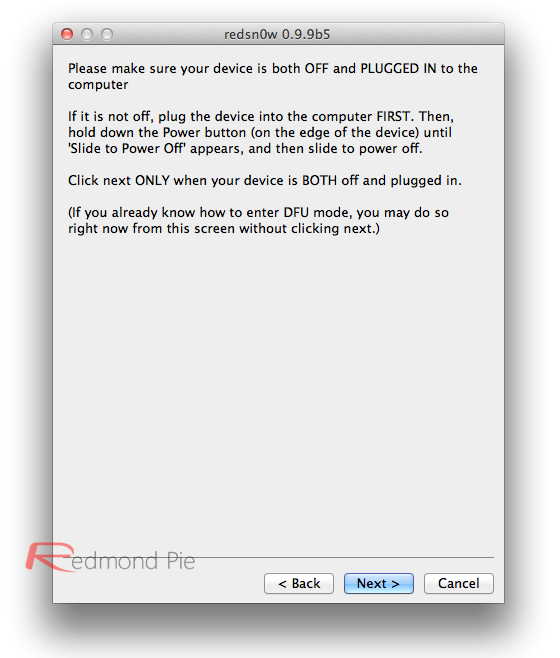
Step 6: Now go back, and click on "Jailbreak", and opt to "Install Cydia". You will then be led through a sequence to place your device into DFU mode. Once your device has achieved DFU mode, Redsn0w will apply the jailbreak.


Booting Tethered:
Step 7: Once the Cydia installation is complete, you will need to boot the device into a tethered state in order for the jailbreak to work – something you will indeed be required to do every time you reboot. Enter DFU mode, and in "Extras", select "Just Boot".


 All the information of this post is fully to RedmondPie.com. 

read more at http://goo.gl/isk4X

 source: Redmond Pie

Sunday, October 30, 2011

iOS 5 Semi Pawned Now!


You can follow our guide on how to jailbreak iOS 5 using Redsn0w or Sn0wbreeze. After that, you should follow our guide on how to jailbreak semi-tethered on iOS 5 to take advantage of a “semi-tethered” jailbreak.


More updates will keep coming up soon and it will come when its ready.

read more at http://bit.ly/ttKdc7

Saturday, October 29, 2011

iPad 2 Jailbreak on iOS 5


According to remondpie, they have successfully jailbroken the iPad 2 that running the latest operating system iOS 5 at the very preliminary stage.  More updates will keep coming up soon and it will come when its ready.

Yet, Apple have to update their iOS very soon regarding to the problems on the users iDevices.

read more at http://bit.ly/v5Aait